Go with your own intelligence - local inference in Go using llama.cpp including hardware acceleration
yzma lets you write Go applications that use llama.cpp for local inference.
Your models run in the same process as your program. You don’t need a model server or a C compiler. And you can use the hardware acceleration that your machine has.
See it run, now
A model in your browser. No install, no signup, and no server.
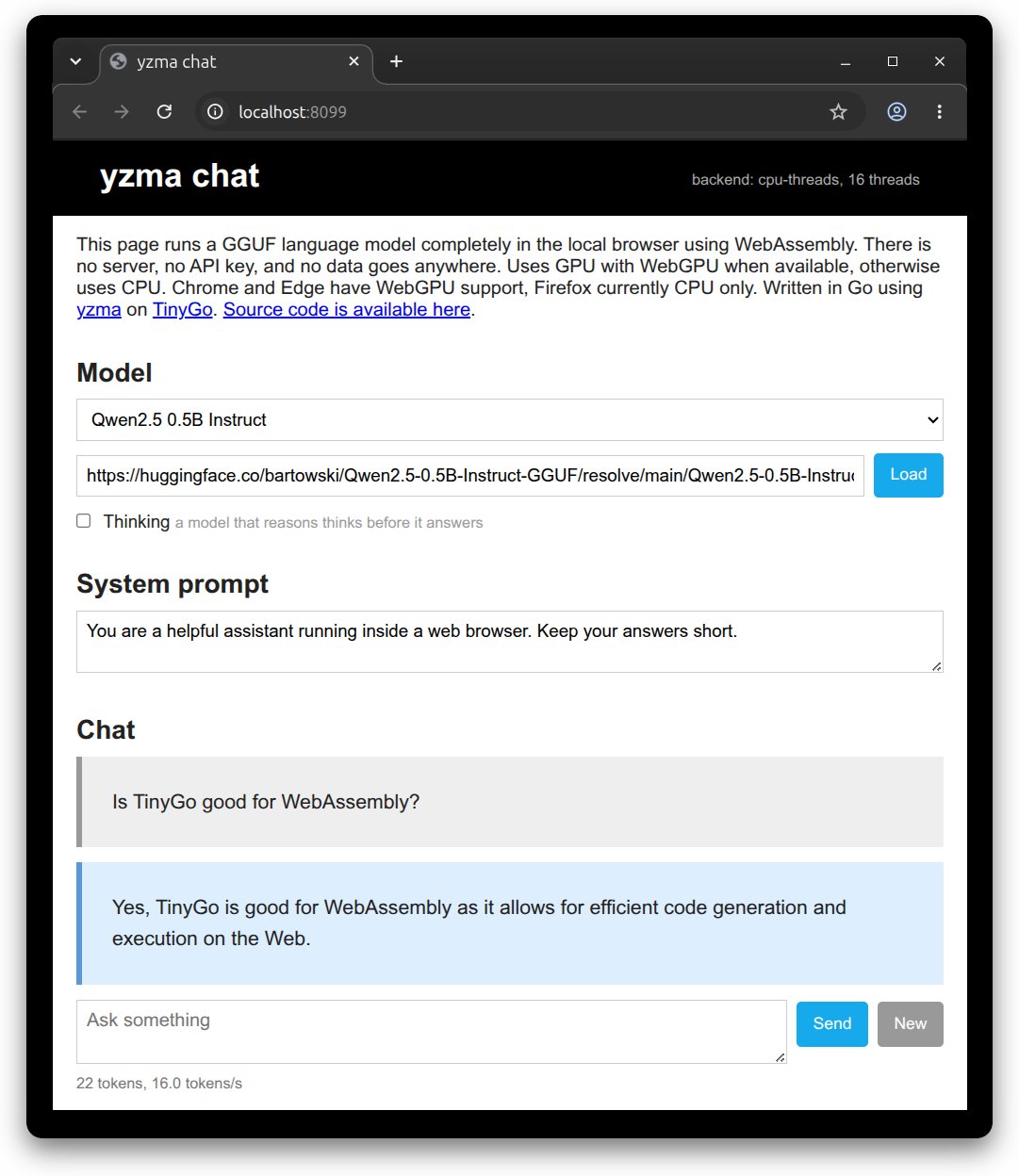
The page downloads the model once and then runs it on your machine. Chrome and Edge use the GPU with WebGPU.
Devices On The Edge
These small devices are tested and benchmarked for inference at the edge.



Is it Fast? Yes.
yzma calls llama.cpp in the same process. There is no server between your program and the model.
A desktop class GPU can process more than 850 tokens a second. An edge device like Arduino UNO Q can process more than 32 tokens a second with its CPU alone.
Powered by yzma
These projects build on yzma.




Talking Heads From The Year 2053
First show whose actors use Physical AI running locally on Arduino UNO Q.
yzma uses the purego and ffi packages, so you don’t need CGo. Build your programs with the normal go build and go run commands.
Ready to get started? Click here.
 Ardan Labs
 The Hybrid Group